Plan the month
Write down this month’s income, then give every dollar a line: rent, groceries, savings, giving. Until it all has a place, BudgetLab+ shows what’s still to plan.
 BudgetLab+
BudgetLab+ is a zero-based budget for you and your partner. Give every dollar of this month’s income a line until nothing is left to plan, then give each new transaction a home as it arrives. One shared budget on iPhone, iPad and the web.
Coming soon to iPhone, iPad and Android
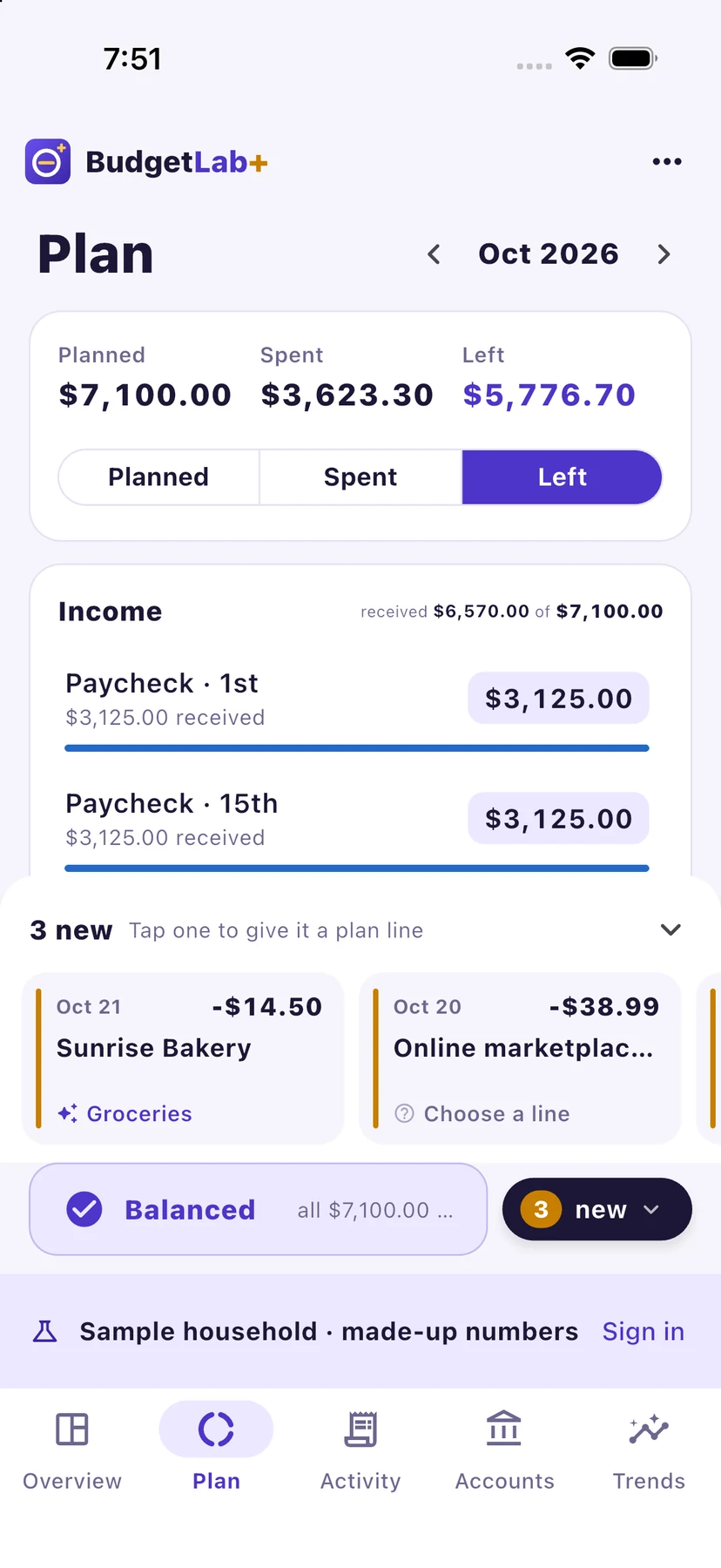
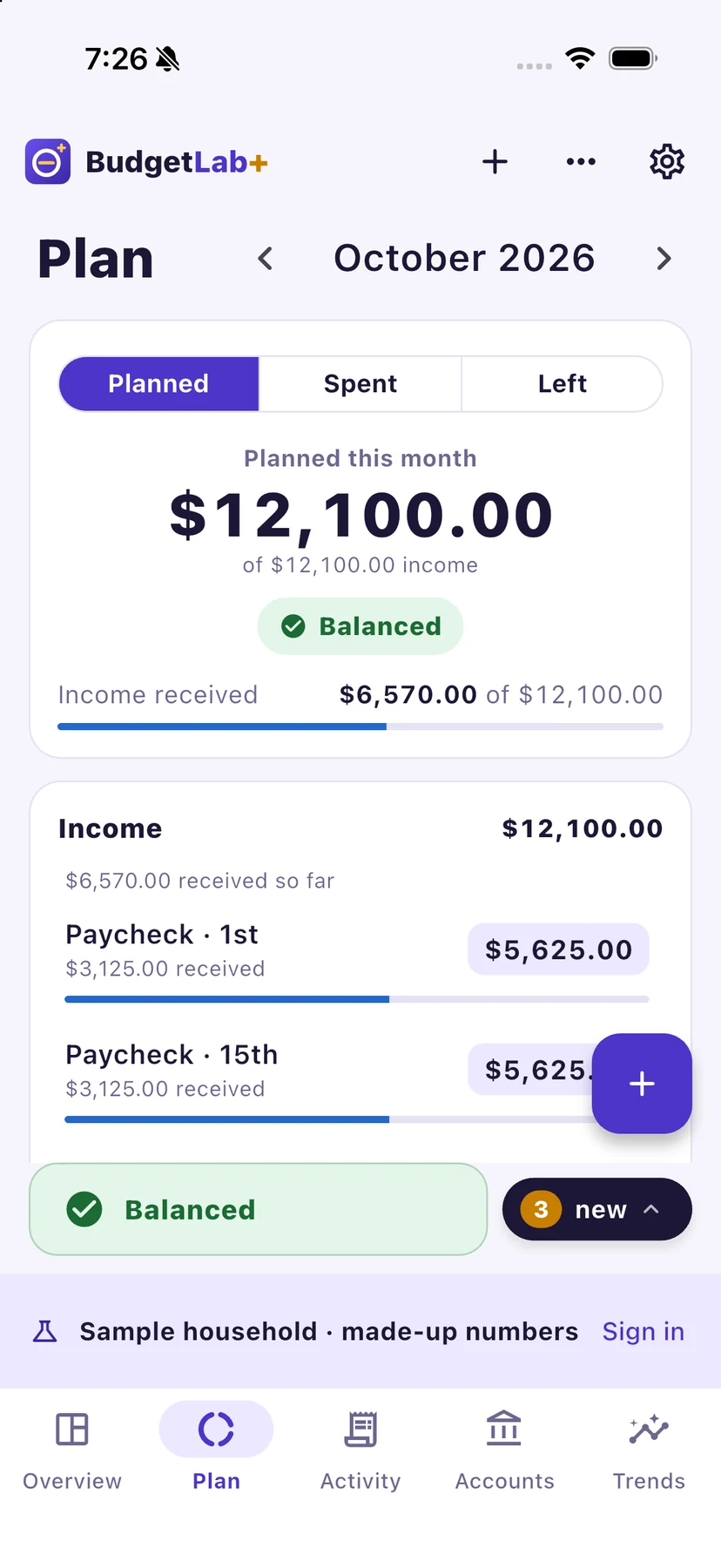
Every dollar
has a plan.
Then the month is yours.
Most budgets look back at where the money went. A zero-based budget decides first: income in, every dollar planned, nothing left floating. BudgetLab+ keeps the arithmetic out of your way, so the only question each day is where the last purchase belongs.
The method
Simple enough to keep up with, which is the whole point.
Write down this month’s income, then give every dollar a line: rent, groceries, savings, giving. Until it all has a place, BudgetLab+ shows what’s still to plan.
As money comes and goes, put each transaction on its line. You see what’s left on every line, every day, before you spend it.
When income minus everything you’ve planned is exactly zero, the month is Balanced. Not a dollar unaccounted for.
Daily assigning
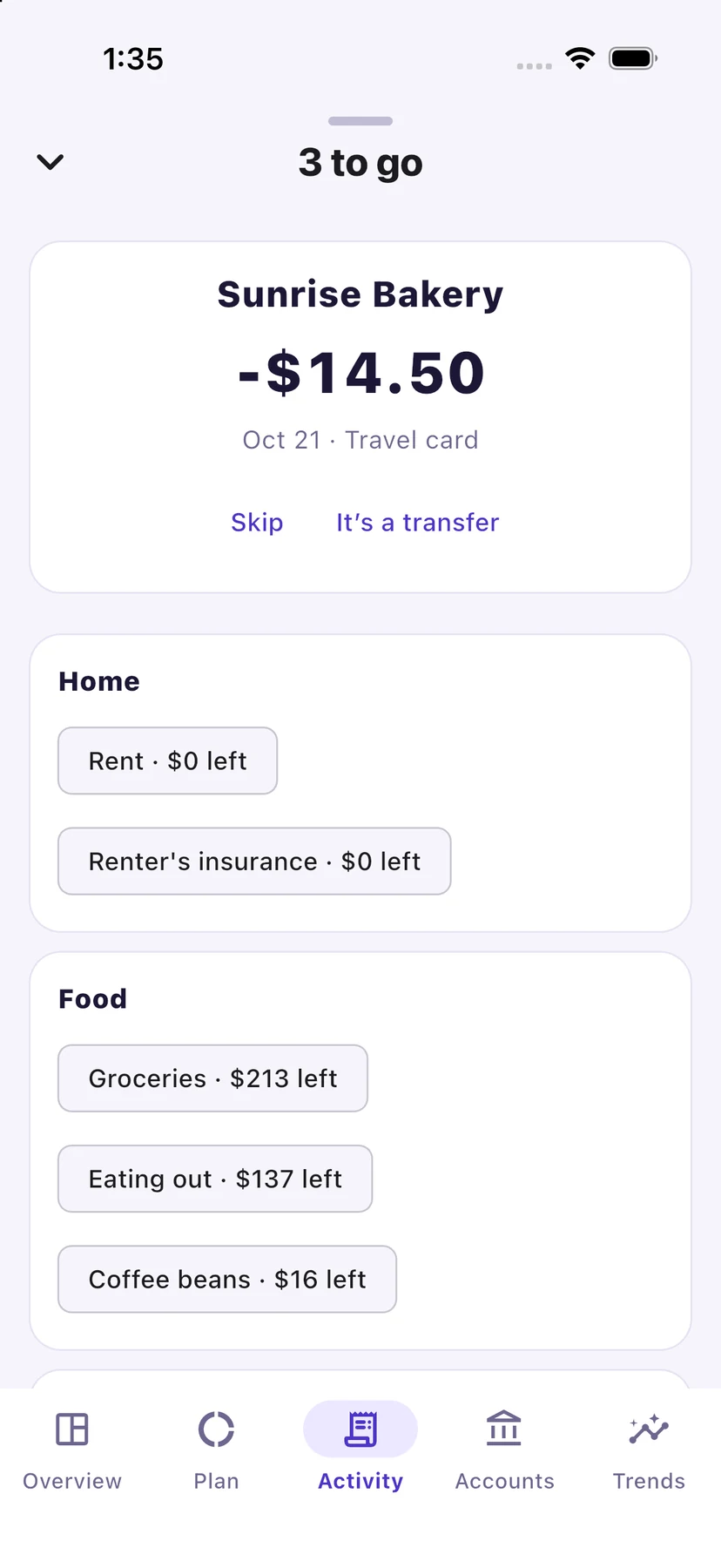
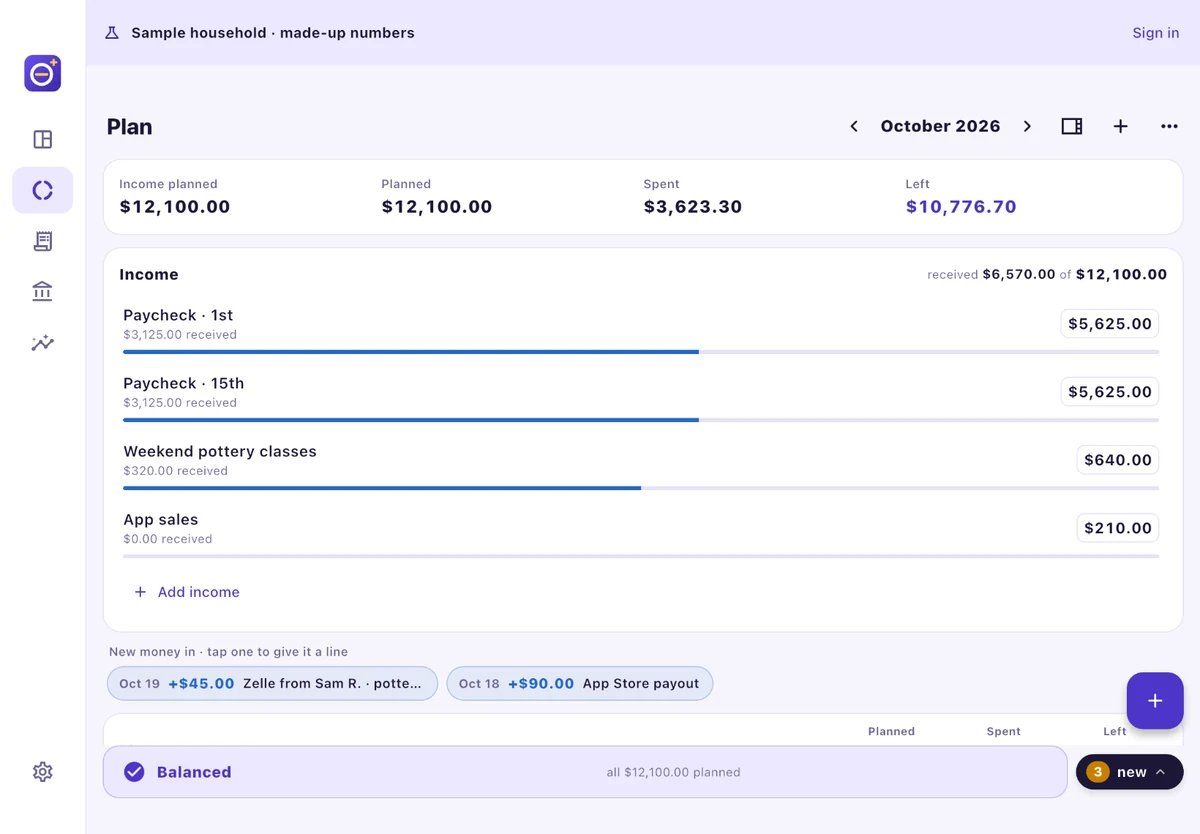
New transactions wait in a tray at the bottom of your plan. Tap one and BudgetLab+ suggests a line: where that payee went last time, or one that fits the kind of shop. One tap to accept it, or pick another line.
Money keypad
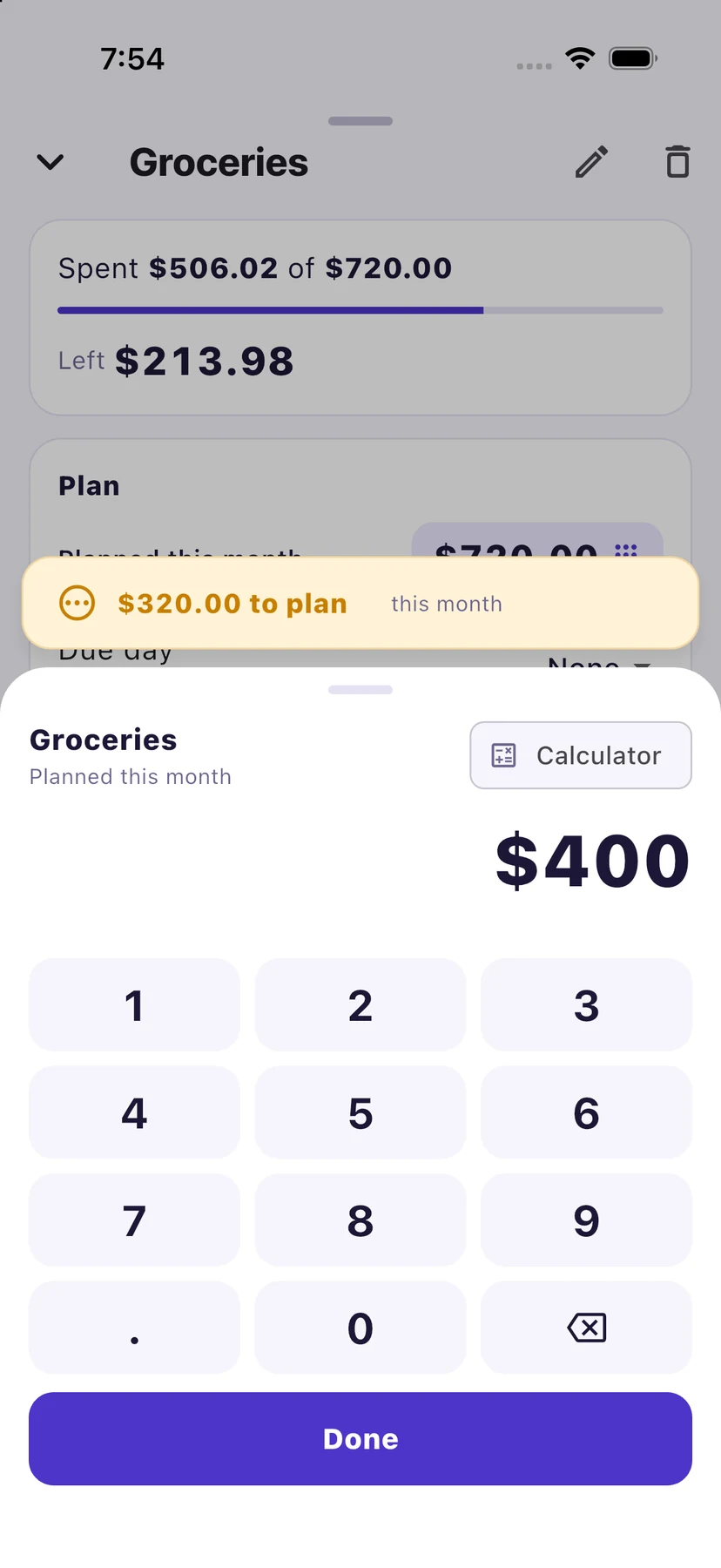
Every amount opens a keypad made for money, with a calculator when you need one. While you type, a banner shows what is still to plan this month, or how far over you’d go, so the plan never surprises you.
Bank sync · Premium
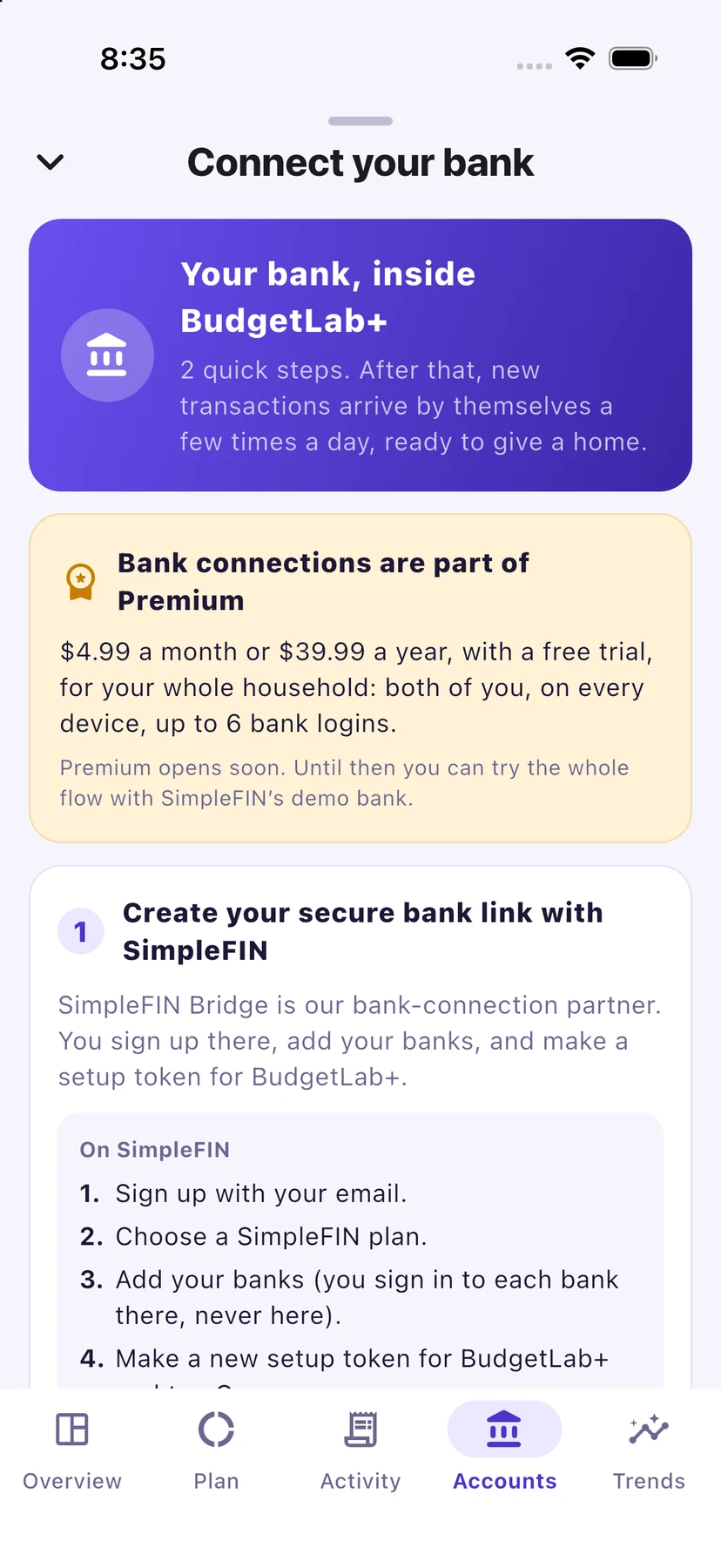
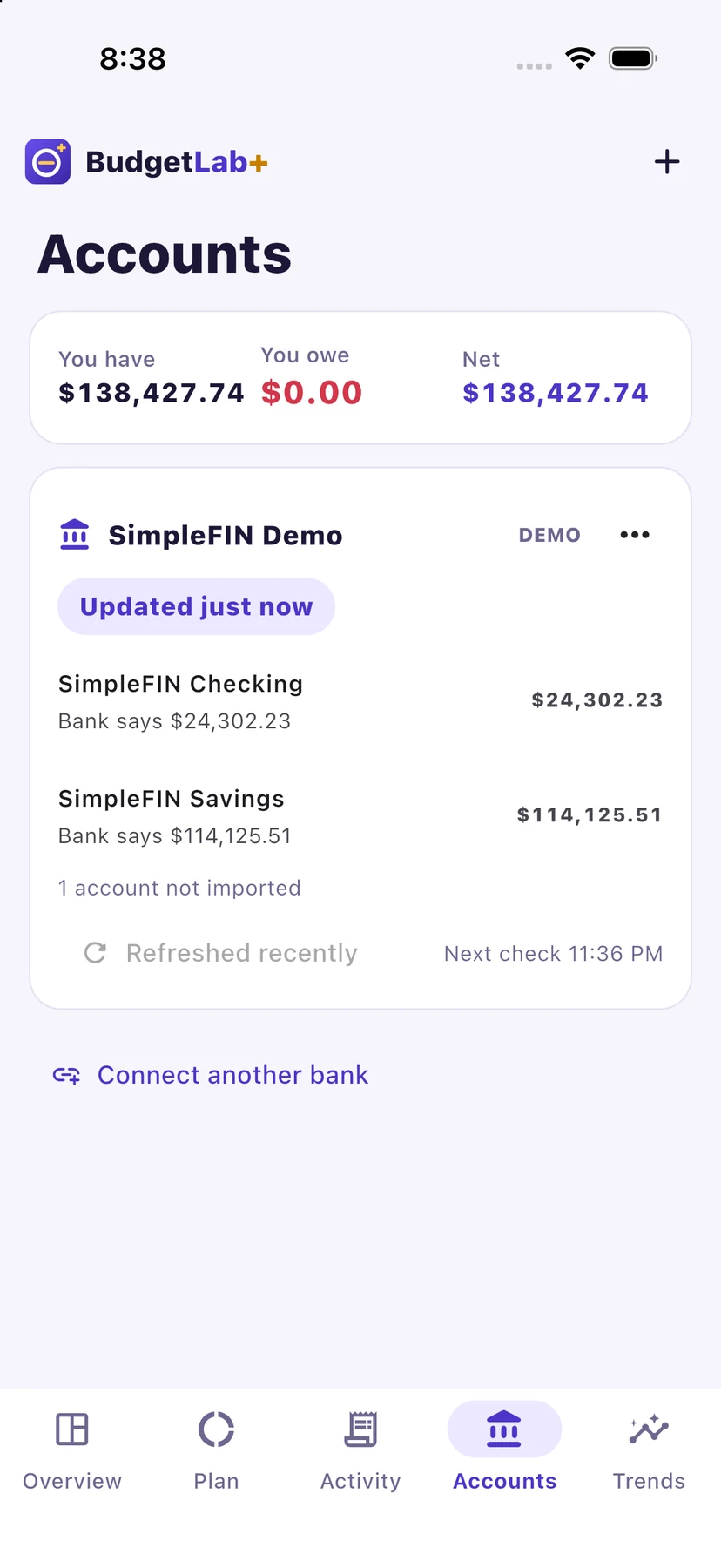
Connect your banks through SimpleFIN Bridge, and new transactions arrive by themselves a few times a day, ready to give a home. Balances stay up to date on the Accounts page.
SimpleFIN is a separate service you sign up for yourself. Its subscription is about $15 a year, paid to SimpleFIN, not to us. Before you sign up, check that your bank is on SimpleFIN’s list.
Switching apps
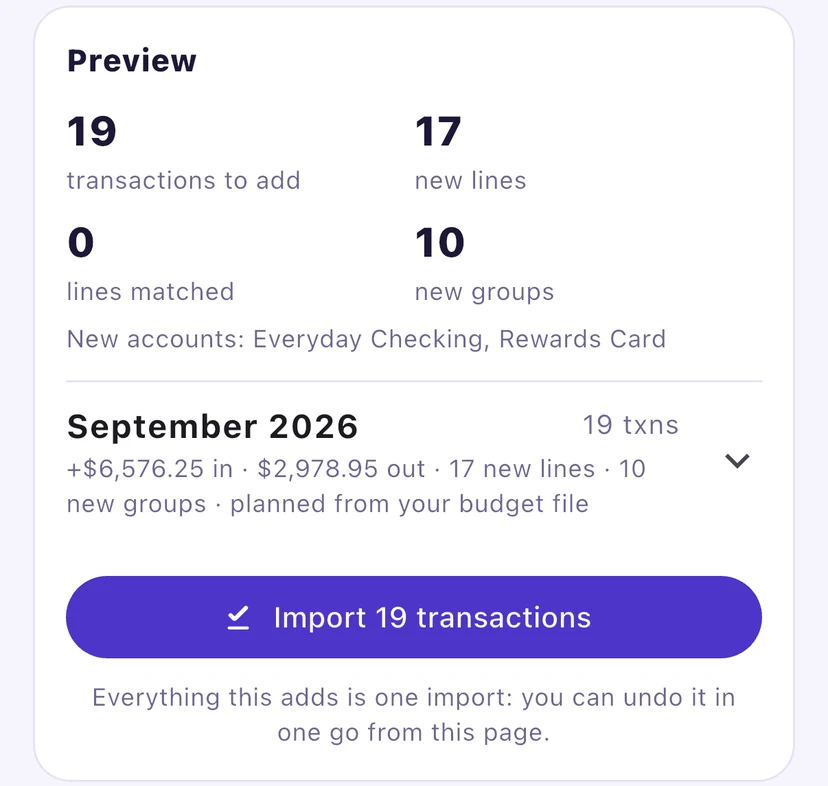
Bring your history from your old budgeting app (CSV). Drop in the files, see exactly what will be added before anything changes, and undo the whole import in one go if it isn’t right.
Supported today: EveryDollar CSV exports, and BudgetLab+’s own CSV and backup files.
Pending transactions
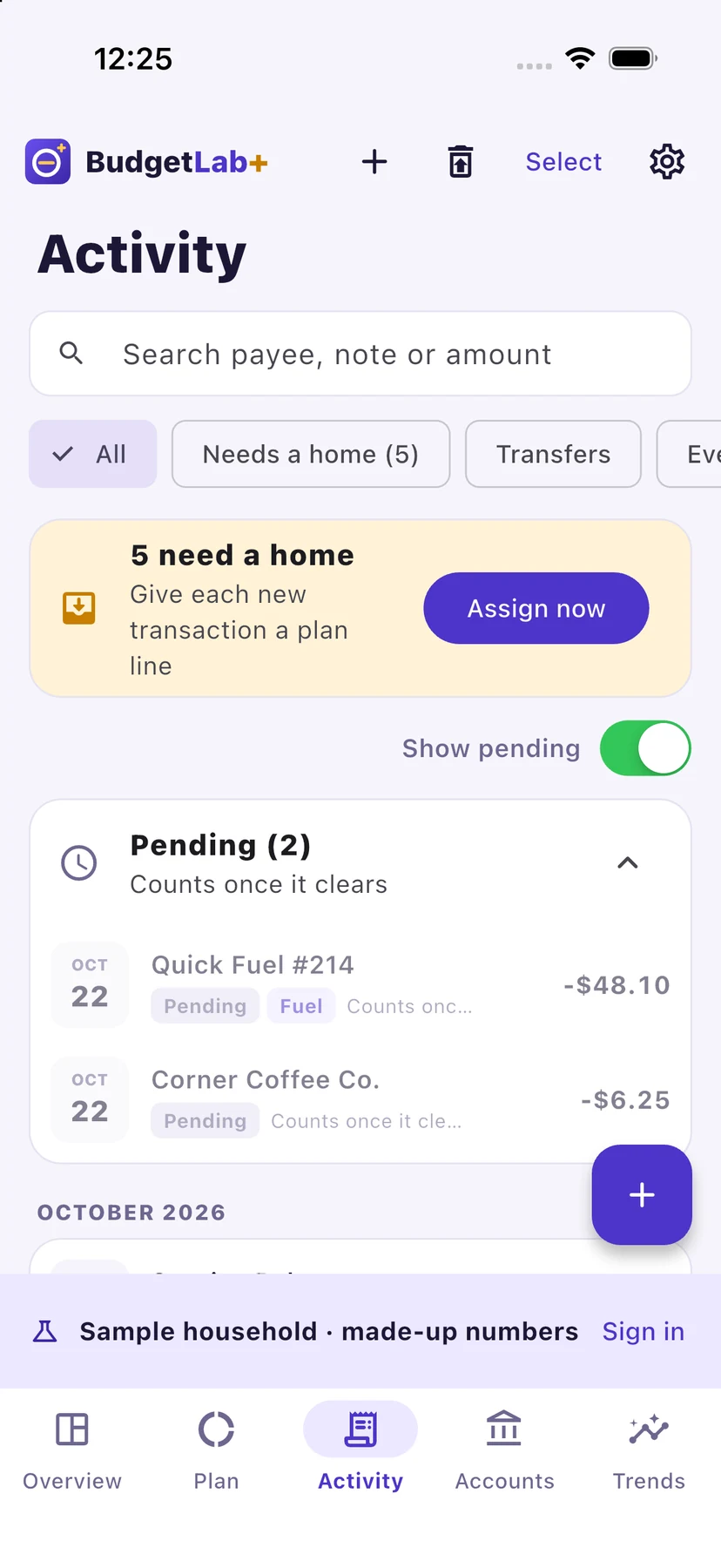
A card purchase that is still pending at the bank sits in its own Pending list, greyed out, and stays out of your totals. When the bank clears it, it counts, once, on the line you gave it.
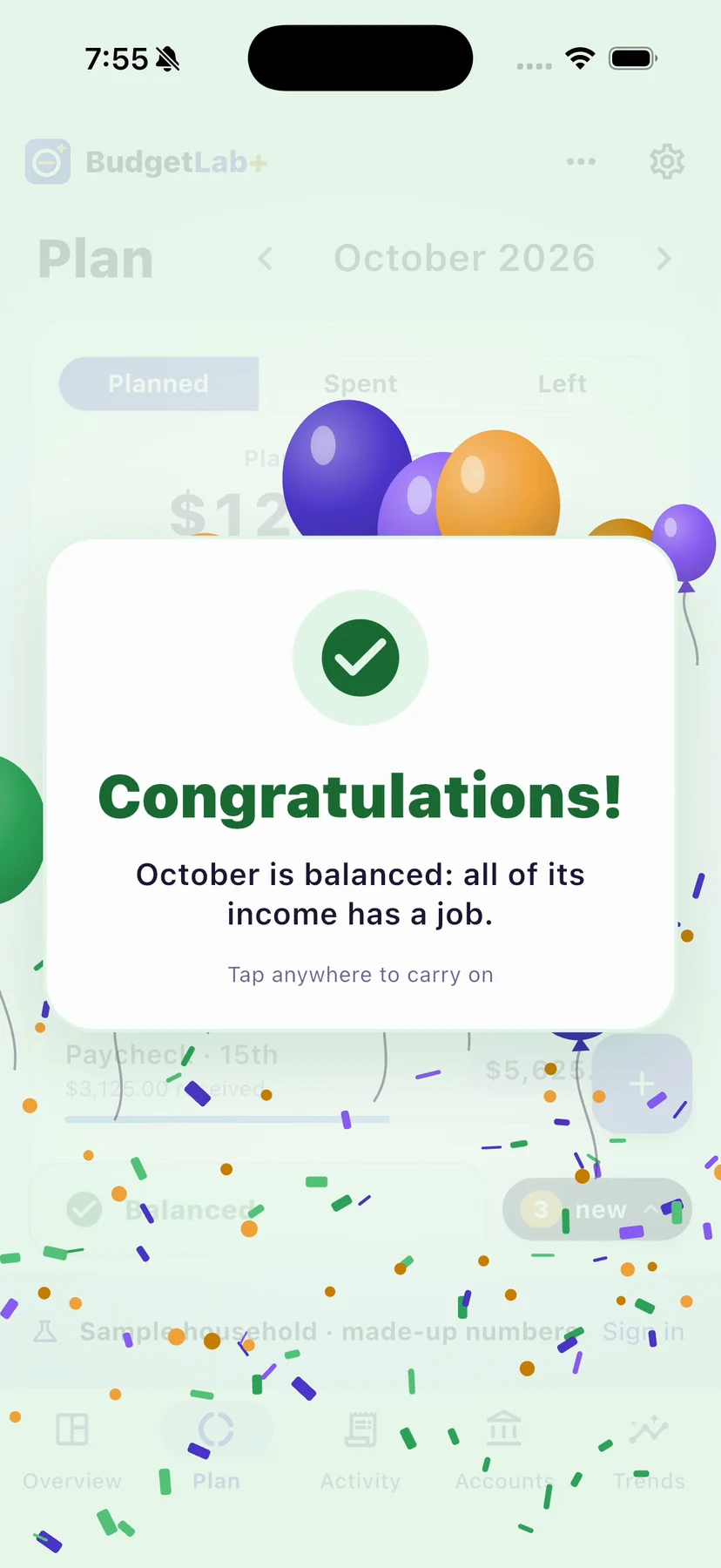
Balanced
The bar at the foot of your plan always tells you where you stand: amber while there’s money left to plan, red if you’ve planned more than you have, green when the month is Balanced. The first time each month you get there, BudgetLab+ celebrates with you.
Shared household
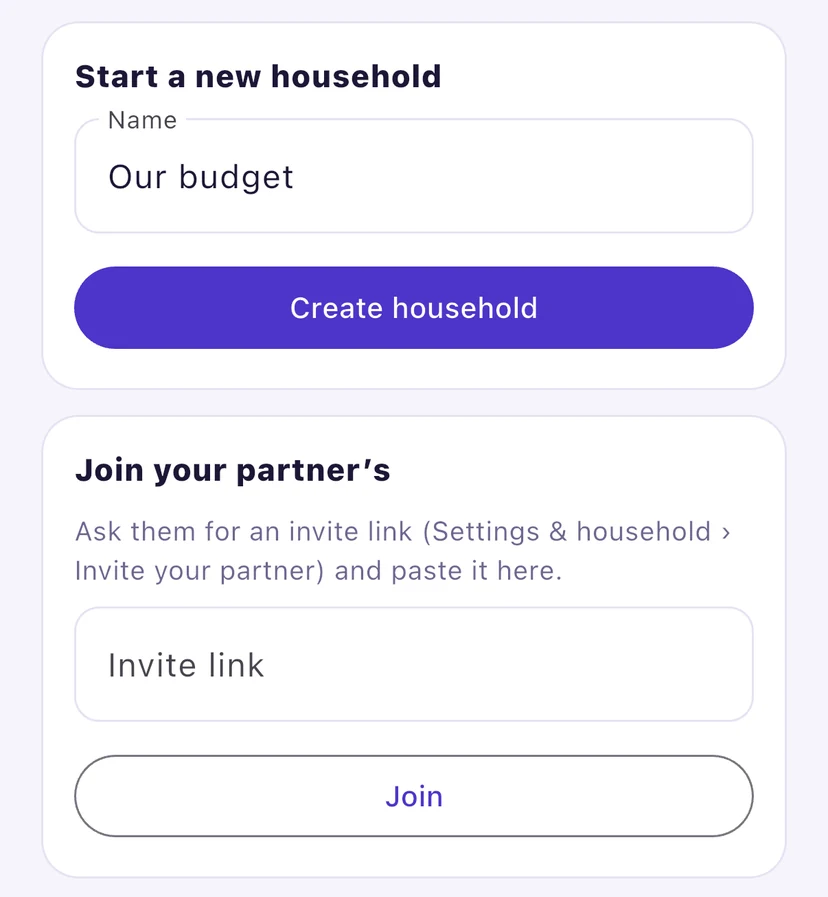
Start a household and invite your partner with a link. You both plan, assign and see the same budget on your own devices, and every change syncs to the other.
iPhone, iPad and desktop web
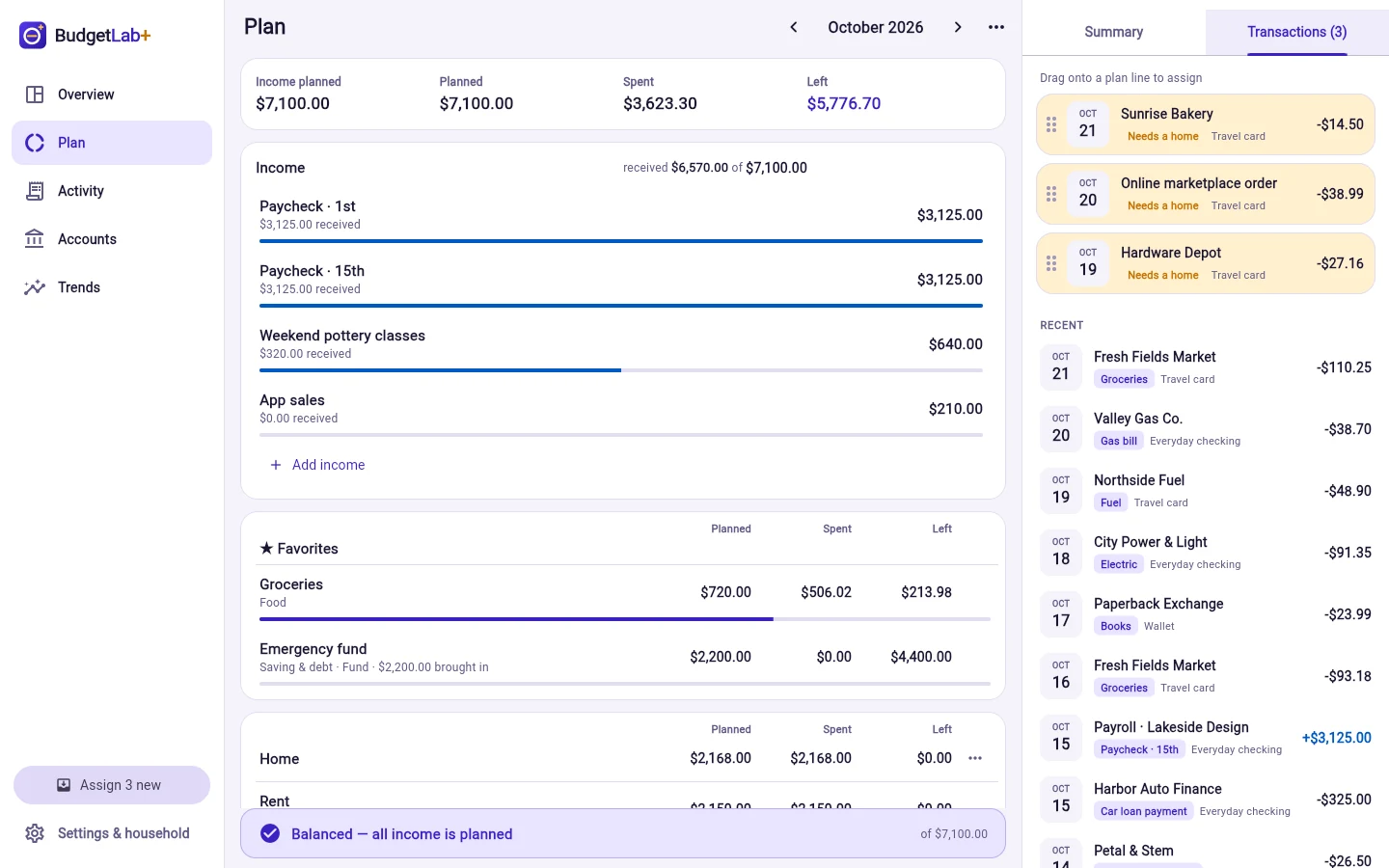
A quick assign on your phone in the checkout line. The whole month on the big screen on Sunday night: on the web, drag new transactions straight onto plan lines.
Pricing
Everything you need to budget by hand is free, on every device. Premium adds bank sync for the whole household.
Free
BudgetLab+ Premium
Bank sync through SimpleFIN · up to 6 bank logins · free trial · both of you, every device
Premium opens soon. SimpleFIN’s own subscription (about $15 a year) is separate and paid to SimpleFIN.
Questions
You plan this month’s income down to zero before the month gets going: every dollar goes to a line, whether that’s bills, food, debt or savings. Zero doesn’t mean an empty account. It means nothing is left without a plan.
Yes, on the web at app.budgetlabplus.com, on a desktop or a phone browser. The iPhone, iPad and Android apps are coming soon, and they share the same budget once you sign in.
No. Manual budgeting is free and complete: add transactions yourself, or import a CSV file. Bank sync through SimpleFIN is optional and part of Premium.
No. You sign in to your banks on SimpleFIN Bridge, never in BudgetLab+. The connection is read-only, and the private link SimpleFIN gives us is encrypted the moment it arrives and never sent to your devices.
SimpleFIN is a separate service you sign up for yourself. Its subscription is about $15 a year (or $1.50 a month), plus tax, paid to SimpleFIN, and covers up to 25 institutions. Check that your bank is on SimpleFIN’s list before you sign up.
One of you creates the household and sends an invite link from Settings & household. The other opens it and joins. You both see and edit the same budget, on any device, and it stays in sync.
You and the partner you invite. There are no ads and no trackers, and your data is never sold. The privacy policy says exactly what is kept and how to delete it.
BudgetLab+
Free to start. Plan it tonight in your browser.
Coming soon to iPhone, iPad and Android